

Google Chrome Buzz has almost bitten me and i can’t stop myself from posting Google Chrome Related Stuff. Many news are floating arond BlogoSphere with some of them are very interesting like Seven hidden pages of google Chrome Browser.
Mean while experimenting with Google Chrome I just got stuck at finding Google Chrome shortcuts list, which seems to be not available any where. I can’t live without Shortcuts, so I myself started finding Google Chrome Shortcuts.
It took me around one hour to get some useful shortcuts list which I am posting here,
Google Chrome Browser Shortcut List
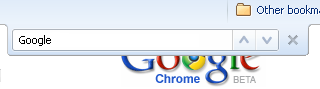
1) F3 & CTRL+F Search on Page
2) F5 Reload
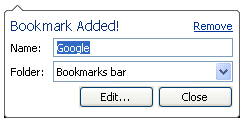
3) CTRL+D bookmark
4) CTRL+W close Google Chrome Window
5) CTRL+E enter search query at address bar

6) CTRL+R Refresh
7) CTRL+T New Tab
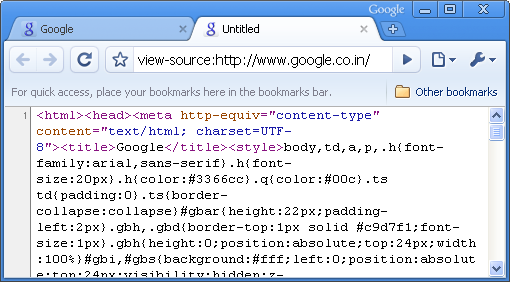
8 ) CTRL+U view source
9) CTRL+O Open Web Page
10) CTRL+H History
11) CTRL+J Download File History
12) CTRL+B Show/Hide Bookmark Toolbar
13) CTRL+N new Google Chrome window
14) CTRL +/- increase decrease Fonts
15) CTRL+P Print
16) ALT+D Select Address bar
17) ALT+leftArrow/RightArrow Go Backword/Forword
18) ALT+` Java Debugger
19) CTRL+TAB or CTRL+PGUP/PGDW switch between Tabs
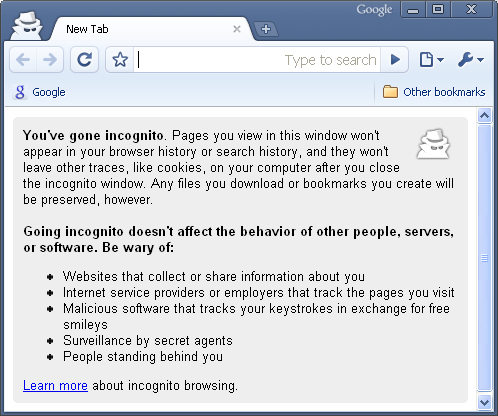
20) CTRL+SHIFT+N Private Browsing (New incognito window)
21) SHIFT+ECS Chrome Task Manager
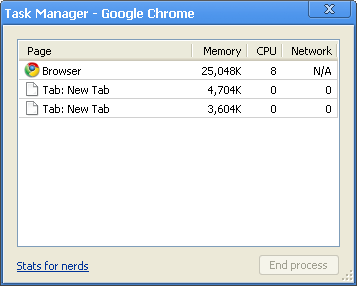
Above shortcuts list is still incomplete. If you are aware of any Google Chrome Shortcuts and it’s not included in above list them please post it in below comment.
So start using above Shortcuts to increase productivity with Google Chrome Browser.



37 thoughts on “Google Chrome Browser Shortcuts List”
#8: view source is CTRL+U not CTRL+Y
How to delete a tab in Goggle Chrome
Ctrl+K same Ctrl+E
Ctrl+L same Alt+D
Space to scroll down.
Alt + mouse wheel scroll to change font size
Alt + mouse wheel to left or right (supported by newer mice) to scroll back & forth in history
CTRL+W close Google Chrome Window:
No: Close Tab!
How to undo the closed tab.
Undo closed Tab: same as in Firefox: CTRL+SHIFT+T
CTRL+0 to set font size back to default
I have read many articles on google chrome for the past two hours. Could you plz let me know how to deleate the bookmarks from the google chrome. I am not be able to deleate the bookmark list.
How to toggle between tabs .. as Alt + Tab helps to toggle between 2 windows
Yahoo mail just hangs up in google chrome … it never works .. !!
Yahoo mail just hangs for me too! What a pain.
Is this something introduced to promote gmail ??
btw .. can any1 answer this question of mine ..
How to toggle between tabs .. as Alt + Tab helps to toggle between 2 windows?
1. to toggle between tabs — ctrl + tab
2. if u type in a conversion query (e.g 8 kilometres in metres) in the address bar, DONT press enter, and wait for a few seconds, the answer comes out..
3. i hear there is a calculator function in the address bar too.. anybody know?
Thnks for the comment , but ctrl + tab just browses thr all the tabs and does not toggles back and forth between past and present tab ?
Ya, big pain. No close tab shortcut?
Ctrl+Shift+Tab to switch to previous tab
Ctrl+1 through Ctrl+8 – Switch to the tab at the specified position number. The number you press represents the position of the tab on the tab strip.
Ctrl+9 – Switch to the last tab
Alt + mouse wheel scroll to change font size
works with Ctl, not Alt for me
This is wonderfully useful! Thanks!
should have clear browsing data shortcut
Ctrl+ Any Number: to switch that particular Tab (Works with Mozilla)
CTRL + W – Close the current tab
Try this:
Switch to next tab: ctrl+pgdn
Switch to previous tab: ctrl+pgup
Thank You!! I was looking for one thing and now I got a whole list of shortcuts, as I’m getting more and more into chrome these will be very handy!
Most of these work fine with Firefox as well, although private browsing is Ctrl + Shift + P
Crtl – Page Up or Page down to go through many tabs
I need shortcut to switch between the opened tabs.
CTRL + SHIFT + T reopens closed tab. press multiple times and reopens less recently closed tabs.
How to toggle between Chrome windows (note, not tabs but rather the windows of chrome itself) Thank you for list, very useful