

Every time when we try to install any hardware drivers which are not signed by microsoft, Windows shows a warning of Unsigned driver dialog box. The reason of showing warning message is to protect the stability of your Windows operating system as such drivers are not passed in Microsoft windows driver compatibility test.
In Window XP you can still install unsigned drivers but in Windows Vista SP 1 and Windows 7 Microsoft has introduced very restricted module of driver signature enforcement which doesn’t allow us to install any incompatible unsigned drivers.
If you want to bypass or disable Unsigned Driver warning message then Here is small freeware utility Driver Signature Enforcement Overrider which allows you to install and load unsigned drivers dynamically on your Windows 7 and Vista.
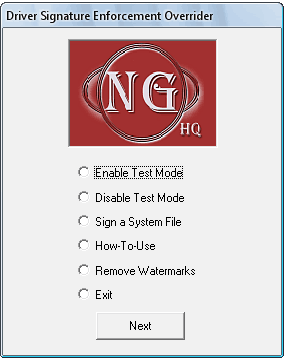
Screenshot of Driver Signature Enforcement Overrider 1.3b
Supported Operating System
1. Windows Vista 32-bit & 64 bit
2. Windows 7 32-bit & 64-bit
Download Drive Signature Enforcement Overrider 1.3b
Please Note: User Account Control (UAC) must be disabled in-order to use this tool.



3 thoughts on “Install Unsigned Drivers on Windows 7 & Vista with Driver Signature Enforcement Overrider”
dear everybody
i am facing problem installing a driver for an electronic tool using vista or windows seven. i tried using Driver Signature Enforcement Overrider (UAC is disabled) and nothing new same problem (This device cannot start. (Code 10))
plz any help any solution.
i can supply the driver it is an inf file
Note: the tool uses C:\Windows\System32\drivers\usbser.sys
look here bro
http://support.microsoft.com/kb/943104/
Very good. Old article now, but still good and up to date. I am going to use it. But I’d like to add that many unsigned drivers do not make Windows unstable and are not signed because the manufacturer of the hardware frequently publishes new drivers and does not want to pay Micro$oft for their approval. It would be a permanent income rent for Micro$oft. Such is the case of Realtech, ATI, AMD or Asus among many other reputable manufacturers, for example.