
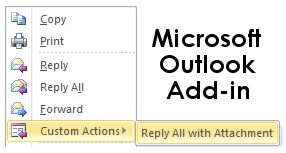
Often we feel the need of replying back to sender/senders with attachment in Microsoft outlook 2007 however by default Outlook reply to all option doesn’t take attachments into consideration also forward mail option doesn’t add all recipients added as CC & BCC by sender of email.
Here is wonderful Add-in “Reply all with Attachments” for Microsoft Outlook 2010 & 2007 to help us in above scenarios. In order to install Reply all Attachments Add-in you must have .Net Framework 3.0 and Visual Studio Tools for Office system 4.0 Beta 1.
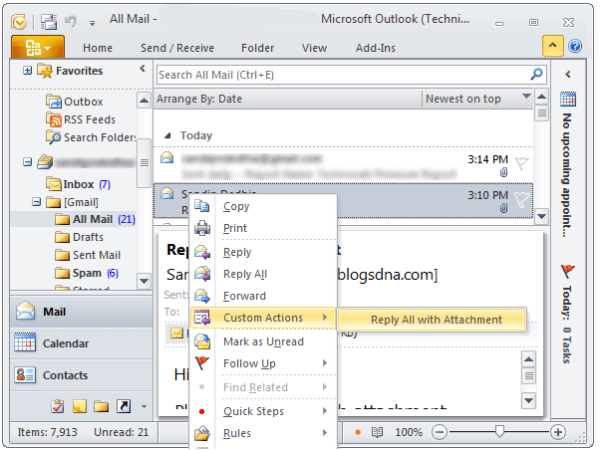
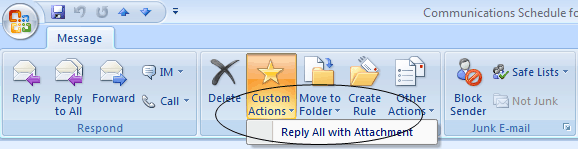
Once you install this add-in a new option “Reply all with Attachment” gets added under Custom Actions.
Screenshot of Reply All Attachments in Action
On Microsoft Outlook 2010
On Microsoft Outlook 2007
Download Reply All Attachment Add-on for Outlook 2010 & 2007



9 thoughts on “Reply All With Attachment Add-on for Outlook 2010 & 2007”
And here is another interesting one for converting email to meeting request with attachments preserved
http://splusoutlookaddin.codeplex.com/
Hi,
I wont be able to download the entire VS2010 just for VSTOR 4.
Can you please give me another link where I can download VS tools for Office 4 ?
Thanks
I’m encountering an error when trying to setup ReplyAll. The error message says, “Setup has detected that the file ‘C:\Users\…\VSD6589.tmp\VSTOR40\vstor40_x86.exe’ has changed since it was initially published.”
I’ve checked the Net and could not find any fix for it?
I’m running Vista Enterprise.
-KY
Well, you need to install VS2010 to have VSTO 4 (vstor40_x86.exe) as a prerequisite.
VSTO 4 is present only in VS2010 Beta1 and is not published yet to Mirosoft Download Center (it should be in VS2010 Beta2 and surely by RTM). But as of now, you need to install VS2010 Beta1. it installs VSTO4 automatically.
Then ReplyAll install works fine.
There is a bug with this.
If you open an email (a) then minimise it, go back to inbox and select (not open) another email (b), then maximise email (a) again and select “reply all with attachments”, it repies to email (b) that is selected in the inbox, not email (a) that you want to reply to.
Hope this makes sense.
Will keep in touch here to see if a fix is released, because this will help heaps.
Cheers,
ping
Dear,
After installing this, all my recipients are receiving the attachments as winmail.dat.
I tried on 2 different pc’s, both the same issue.
Specs pc1: Win XP, Office 2007
Specs pc2: Win 7, Office 2007
I verified the most general settins as, disabling the RTF, but no success.
No exchanges server.
Does anybody has a solution for this ?
That would be really great as this is really a nice add-in.
Thx
Dear,
After installing this, all my recipients are receiving the attachments as winmail.dat.
I tried on 2 different pc’s, both the same issue.
Specs pc1: Win XP, Office 2007
Specs pc2: Win 7, Office 2007
I verified the most general settins as, disabling the RTF, but no success.
No exchanges server.
Does anybody has a solution for this ?
That would be really great as this is really a nice add-in.
Thx
Received this error during installation:
“Customized functionality in this application will not work because the certificate used ti sgn the deployment manifest for ReplAllwAttach or its location is not trusted. Contact your administrator for further assistance.”
Then at the bottom of the details was this:
“The Zone of the assembly that failed was:
MyComputer”
Can anyone tell me how to fix this problem?
Hi there,
Thanks for the Addin and I’ve managed to install it on my Outlook 2010.
When I click on Reply All with Attachment, somehow it can’t recognize all the recipients. So I have to re-add back the recipients.
Anyone encounter this problem? Would appreciate for any solutions. Thank you.