
 Reinstalling Operating system is more frequent among windows users than non-windows users. Every time you reinstall windows operating system you need to enter product key before starting Windows installation and this applies to Windows XP, Vista and also on Later operating system Windows 7.
As of now we can get free product key to activate windows 7 from Microsoft under customer preview program however once windows 7 is available on market for purchase you need to take extreme care of your Windows 7 Product Key.
Well don’t worry If you have lost Windows 7 Product Key we already have free utility WinGuggle to recover Windows 7 product key. WinGuggle is multiple purpose utility and also lets you to recover Product key of Windows Vista, Windows XP & Microsoft Office.
Another interesting feature provided by WinGuggle is ability to add, remove or change OEM information on windows 7, Vista & XP.
Features of WinGuggle 1.6
1. Recover Windows 7/Vista/XP and Office Product Key (CD Key)
2. Change OEM Logo and Information Completely (Windows 7, Vista and XP)
3. Change Performance Information and Tools OEM Logo (Windows 7 and Vista)
4. Removing OEM Logo and Support Information in Windows 7/Vista/XP
5. Manual and Automatic Backup of OEM Logo and Information Settings
Screenshot of WinGuggle 1.6
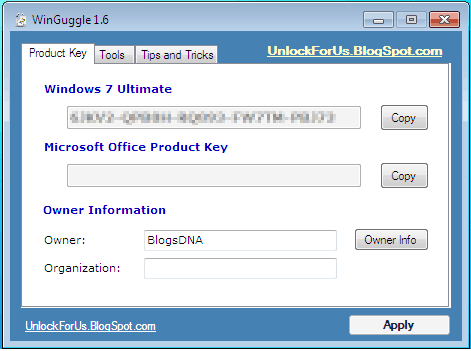
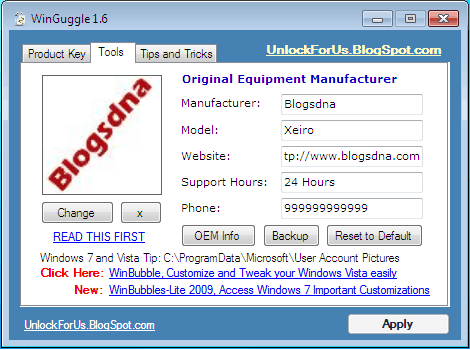
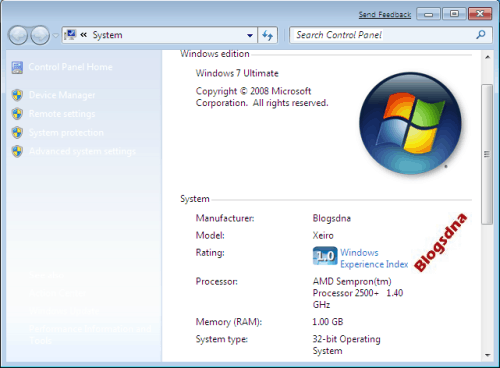
Download WinGuggle 1.6 to Recover Product key of Windows 7 & Change OEM Information on Windows 7.



7 thoughts on “Recover Windows 7 Product Key & Change OEM Information with WinGuggle”
hi
i am irani
plz send me key windows 7 ulyimate tanks
please send me windows 7 Cd key. I want just windows 7 cd key
Dear Admin
now i need product key for window 7 please sent to me
thanks
you are all idiots. tanks.
CD KEY for Windows7 http://bux4ad.com/_74cdb399.htm
thank you for above mention info
Microsoft has different types of product keys such as; MSDN, OEM, FPP retail license, Where MSDN release for students, OEM released for original equipment manufacture, comes into the hardware with pre-installed OS and fpp is retail version, comes with full package, but very costly.
I recommend you to buy cheap product keys from ODosta Store, Which can be easily activate and get lifetime updates from Microsoft server.