
VIDEO_TDR_FAILUR is yet another common blue screen of death (bsod) error encountered by many Windows 10 users. As the error name suggests, it is related to video device aka graphics cards or your onboard video chip.
What is VIDEO_TDR_FAILURE Error?
Windows 10 would throw an error message with the following text
Your PC ran into a problem and needs to restart.We’re just collecting some error info,and then you can restart
If you’d like to know more, you can search online later for this error: VIDEO_TDR_FAILUER
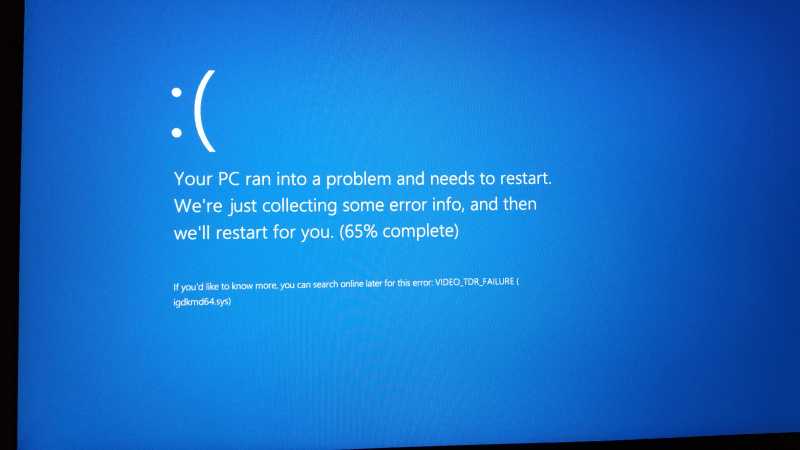
Depending on your log/memory dump settings you may or may not clearly see the error screen message. In most case, Windows 10 will flash blue screen with above error message and then restart your system.
VIDEO_TDR_FAILUER is the type of TDR error (timeout detection recovery) related to the faulty graphics card, overheating of GPU, GPU overclocking or corrupted graphics cards drivers. You may also see one of below system drivers being mentioned in the blue screen error message.
nvlddmkm.sys (Nvidia Graphics Card) , atikmpag.sys (ATI Radeon), igdkmd64.sys (Intel HD Graphics), igdkmd32.sys (Intel HD Graphics)
Table of Contents
How to Fix VIDEO_TDR_FAILUER on Windows 10
Follow the below troubleshooting steps to fix this error.
1. Update Graphics Card Drivers
The most common reason for VIDEO_TDR_FAILUER is the corrupted GPU drivers. If you have Nvidia or AMD graphics card then its best idea to update the drivers to latest available version. You can either straight download drivers from the manufacturer website or uninstall existing drivers and then download and install updated one. Follow the below steps to update your graphics card drivers
- Press Windows Key + X to open Windows 10 power menu and click and open Device Manager
- Under Device Manager, go to Display Adaptor
- Expand the list, and locate your graphics card from the list. (Nvidia, Intel HD or AMD )
- Right click on it and select update driver option
2. Reinstall Nvidia Graphics Card Driver
- Press Windows Key + R to open run command and type devmgmt.msc to open device manager
- Now look for Display Adaptor and expand that menu
- Under Display Adaptor, you will see all the devices responsible for producing display on your screen.
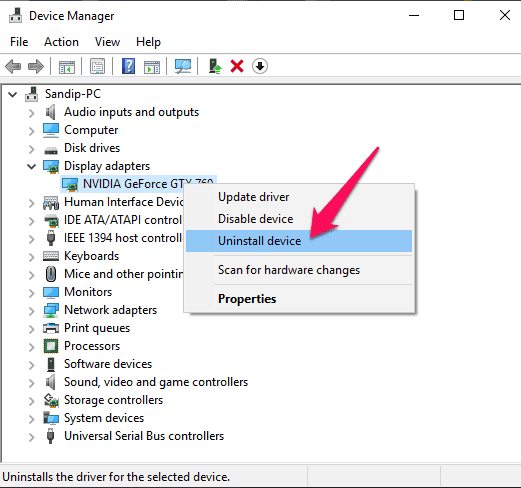
- Right click on Nvidia device and select uninstall device
- Under Uninstall Device, make sure to check “delete the driver software of this device” option is checked and click on Uninstall button.
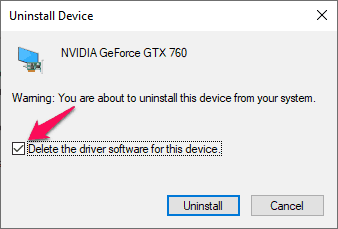
Now restart your system and download and install fresh drivers.
3. Reset Graphics Card Setting to Default
Nvidia and AMD both provides utility to overclock their graphics card, even the reference graphics card manufacturers like MSI, Asus, Zotac, Sapphire, EVGA all of them has their own utility which lets you to overclock graphics card to boost its performance. Although, overlocking GPU is far easier than CPU but it has its own consequences.
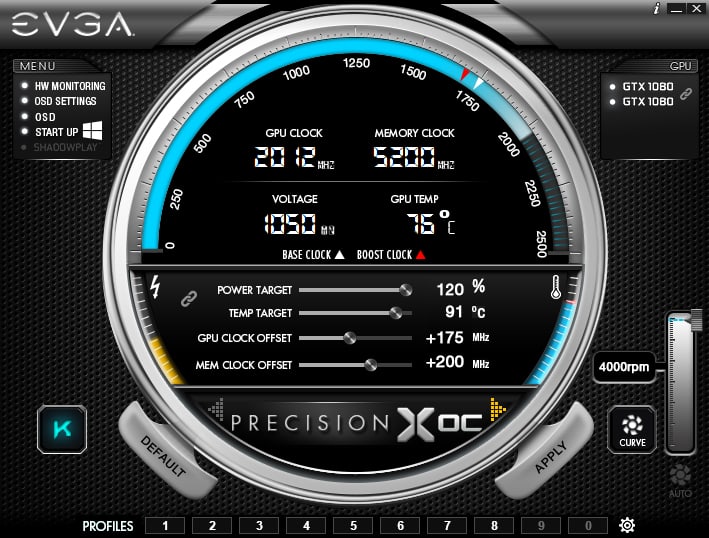
If you have overclocked your graphics card then chances are high that the overclock settings may end up causing the weird problem with the GPU and VIDEO_TDR_FAILUER blue screen is one such problem. Make sure you reset your graphics card settings (GPU clock, Memory clock) to factory defaults. This will fix your Windows 10 BSOD error.
4. GPU Benchmark and Stress Test
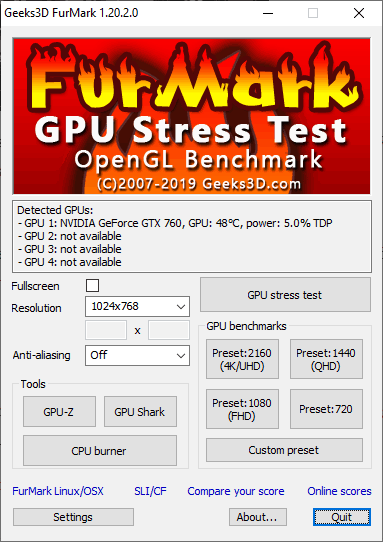
Often the graphics card might perform well but under heavy load such playing games with extreme graphics setup or watching videos like 4k or 1080p at 60fps leads to above error message. In such case, to confirm graphics card or integrated graphics issue, run the graphics benchmark (Heaven) and stress test (FurMark).
5. Replace your Graphics Card
Even after following above troubleshooting methods still your issue is not fixed then the last option left is to replace your graphics card. You could swap in another graphics card (borrow from a friend) to check if it’s your GPU which is faulty. If its indeed your Nvidia/AMD graphics card problem then RMA for replacement (provided it’s under warranty).
For users with integrated graphics (laptop owners) will need to contact laptop manufacturer customer support for the RMA process.


