
Many Windows 10 users have been reporting an issue related to images, the typical error message which is displayed while opening an image on Windows 10 is File system error (-2147219196), as shown in below screenshot.
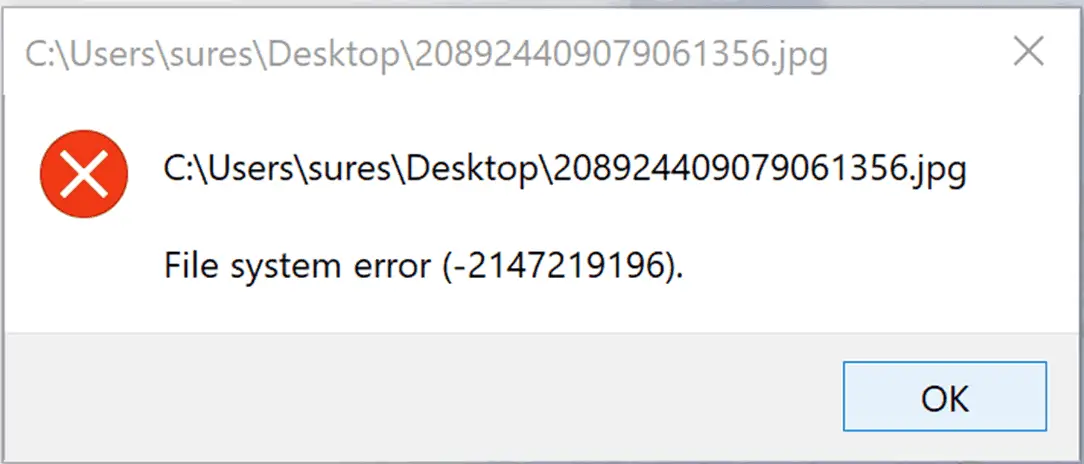
The error dialogue box reads File system error (-2147219196) or File system error (-2147219195) and fails to open image or photo that you were attempting to open it. The issue is faced by only those users who have the Windows 10 Photo app as the default app for viewing images and photos.
You may not get this error if you are using some other photo app than the default Windows 10 photo app. Also, the same error message is displayed even when you attempt to browse images in Microsoft Outlook or other software and tool which uses the default photo app on Windows 10.
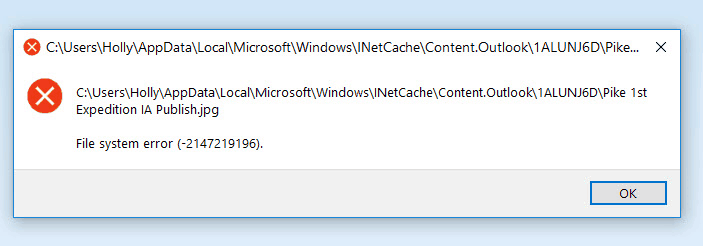
The main crux of this error is Windows 10 Photo app which is crashing and leading to File system error (-2147219196). Interestingly you also get a similar error message for other Windows 10 apps such as the calculator, groove which crashes and fails to load.
File System Error (-2147219196), How to Fix It?
- Update Windows 10 Photos App
- Uninstall and Reinstall Microsoft Photos App
- Re-register Windows 10 Apps
- Repair or Reset Microsoft Photos App
- Windows Store App Troubleshooter
Solution 1 – Update Windows 10 Photos App
As the Microsoft releases patches and fixes for Windows which could potentially break some of the things including apps too. If your Windows 10 Photos app is broken due to any Windows update then it would be a good idea to run an update for apps to see if Microsoft has released an app update to mitigate the issue arises due to system update.
Simply go to Windows 10 Start Menu and Click on Microsoft Store

Now Click on Download and Updates and then Get Updates to retrieve all available update.
This would update all the apps installed on your Windows 10 device. Now check and see if images open correctly and Windows 10 photos app is working fine. If the error still persists then follow rest of the solutions to fix the error.
Solution 2 – Uninstall and Reinstall Windows 10 Photos App
As it has been always the way, uninstall and reinstall to fix software issues and same is still applicable in the era of Windows 10. Simply by reinstall photos app on Windows 10 you can fix the file system error while opening images. Follow the below steps to uninstall photos app and reinstall it.
- Open Windows Search or press Win + S keyboard shortcut. Now type PowerShell.
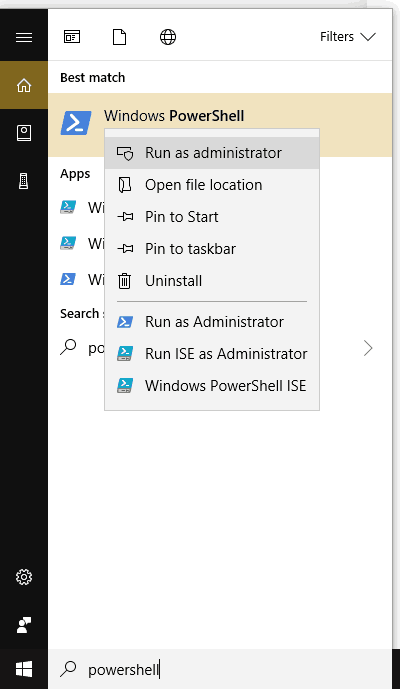
- Now right click on Windows PowerShell and select “Run As Administrator”
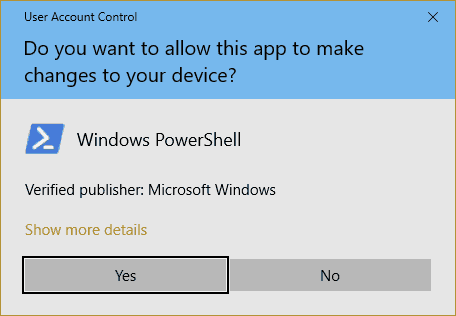
- Press Yes on UAC dialogue box
- Now copy the following command as it is and paste on Windows 10 PowerShell window.
Get-AppxPackage *photos* | Remove-AppxPackage
- Now Run following command in your Windows 10 Powershell window
Get-AppXPackage | Foreach {Add-AppxPackage -DisableDevelopmentMode -Register “$($_.InstallLocation)\AppXManifest.xml”}
- Now Use Windows Search or press Win+S and search for “Microsoft Photos”
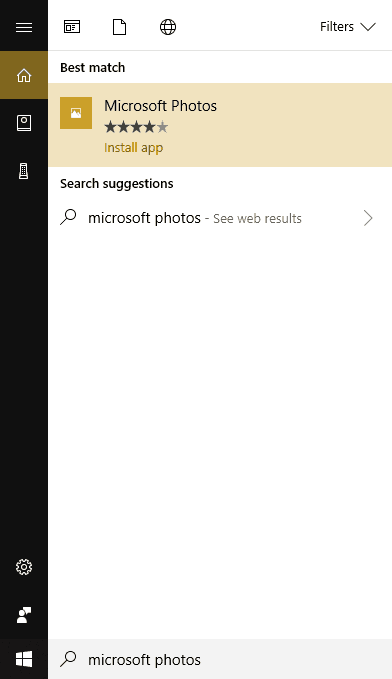
- click on Microsoft Photos (Install App) search result, Click on Get button to install the app.
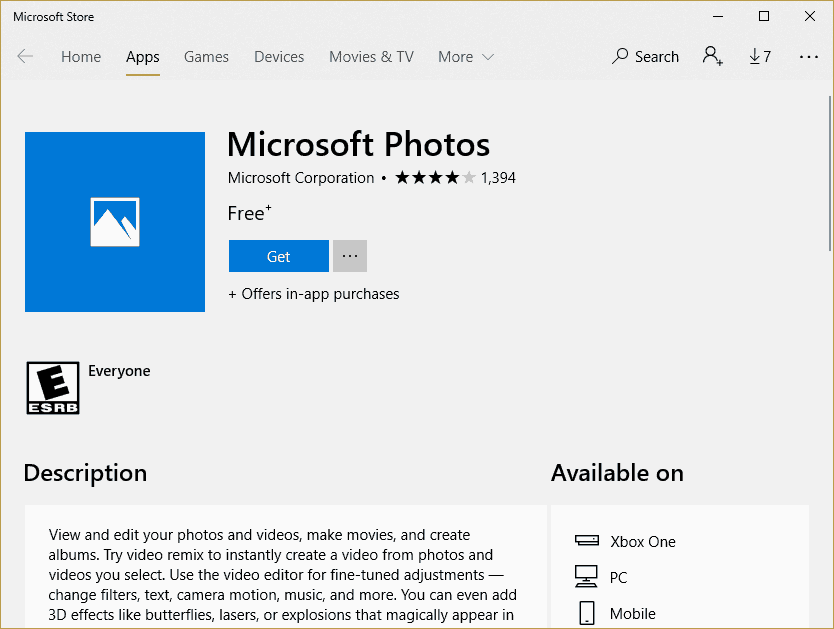
This should fix all the errors related to Microsoft Photos app.
Solution 3 – Re-register Windows 10 Apps
If you are facing similar error from many other Microsoft Apps on your Windows 10 then this trick will do the job. All you need to do is re-register all the Microsoft Apps. Follow the steps as shown in Solution 2 till UAC dialogue box, once you have the PowerShell up, copy the following line of code and run it.
Get-AppXPackage | Foreach {Add-AppxPackage -DisableDevelopmentMode -Register “$($_.InstallLocation)\AppXManifest.xml”}
It will take some time for app re-registration process to complete. Ignore any errors that you see in red text. Once the process is complete, restart your machine and check if your issue is fixed or not.
Solution 4 – Repair/ Reset Windows 10 Photos App
- Press Win + S keyboard shortcut and type Microsoft Photos
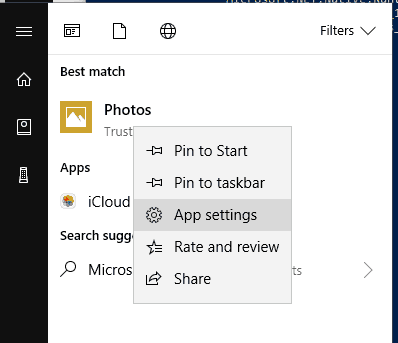
- Now Right Click on Photos App and click on App Settings
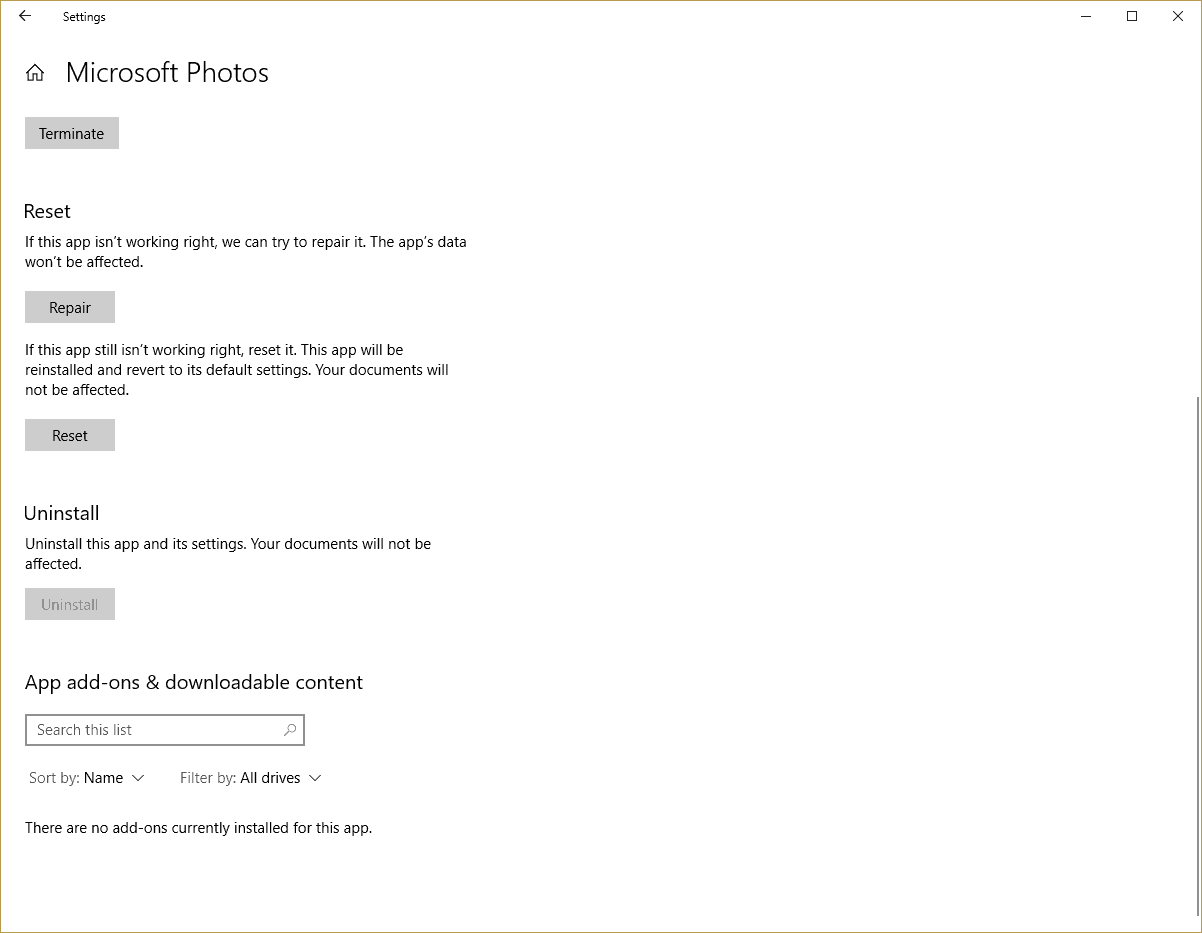
- In Microsoft Photos App Setting Screen, you get the option to Repair and Reset. Try both the options and see if it fixes Windows 10 File system error for you.
Solution 5 – Using Windows Store App troubleshooter
- Download Windows Store Apps Troubleshooter
- Run the download file, and Click on Next button
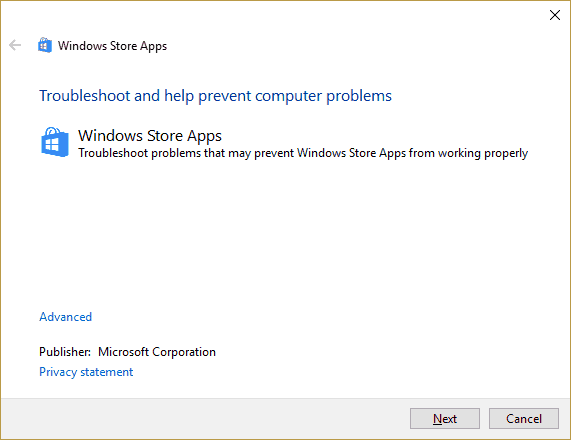
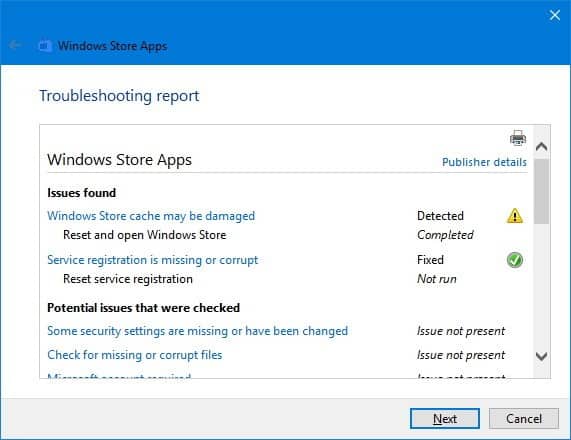
- The troubleshooter will scan the apps for errors and will report the result of the scan and attempt to fix the App errors.
Let us know if any of the solutions worked for you in fixing File system error (-2147219196) or File system error (-2147219195) on Windows 10.



4 thoughts on “Fix File System Error (-2147219196) When Opening Images on Windows 10”
Thank you so much Sandip. File system error (-2147219196) was persisting and was getting to the point of irritation.
Looked into so many of the website links for a fix that popped up via Google search and tried all the solutions provided. Mostly all solutions in many of the sites are all repetitive, until i chanced up on your blog and tried solution 3 of re-registering the apps.
Finally Microsoft Photos worked! Thank you so much. And kudos to you for listing ALL the solutions.
Cheers!
after so many tries this site solve my issue thank you so much.
I thought all was hopeless after all my apps stopped working, even new apps I installed after the windows 10 update bug got me. This information and the procedures fixed it all! I was unable to fix, reset, or repair Microsoft Photos and I could not even uninstall it prior to finding this article. Thank you.
Finally! Solution number 3 fixed the issue. Thank you so much.