Adding Dropbox Addon for Gmail may look easy process but missing how to guide can frustrate users and linger them into wondering why the addon is not working or where is the new Dropbox icon to add attachment files from the Gmail account.
How to Add, Use and Remove Dropbox For Gmail Addon
How to Add Dropbox Addon to Gmail?
How to Connect Dropbox account to Gmail?
How to Use Dropbox for Gmail Addon?
How to Remove Dropbox for Gmail Addon?
How to Add Dropbox Addon to Gmail?
Follow the complete step by step procedure to add Dropbox addon to Gmail and connect with your Dropbox account.
- Click on the following link to go to DropBox Addon For Gmail, make sure you open the page on the same browser on which you are already logged in to your Gmail account.
- Now Click on the install button.
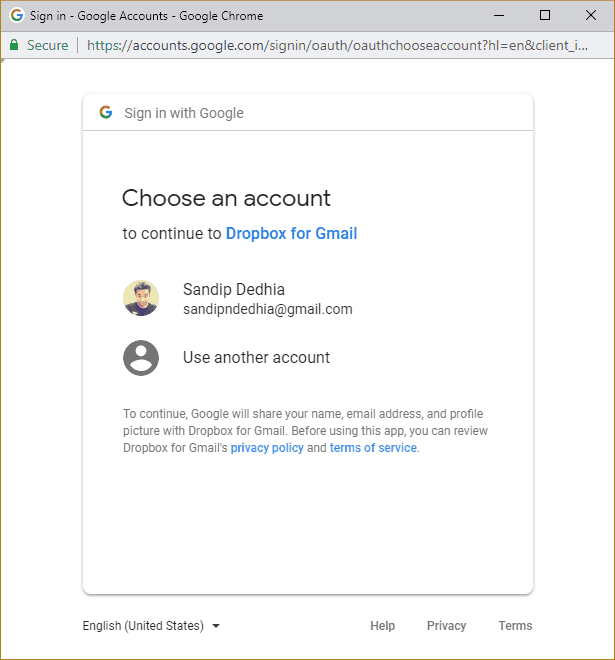
- A prompt to choose an account will be displayed. If you’re already logged into your Gmail account, then you will see your account under the list. Else you will have to signin to your
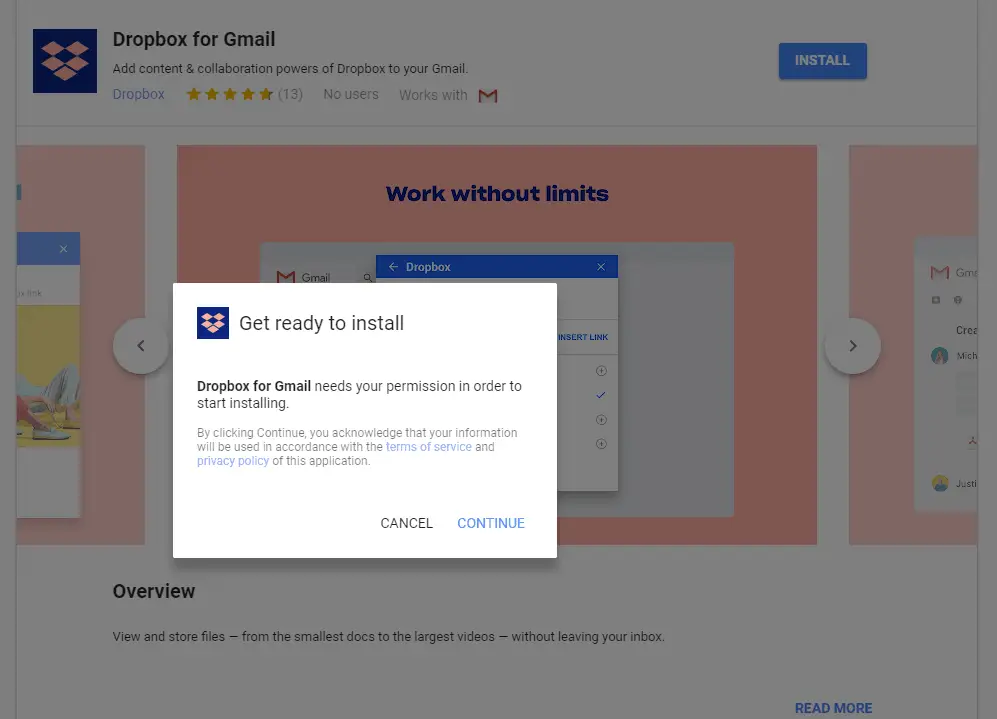
- At this stage a popup asking for permission to start installation is displayed, click on continue to proceed
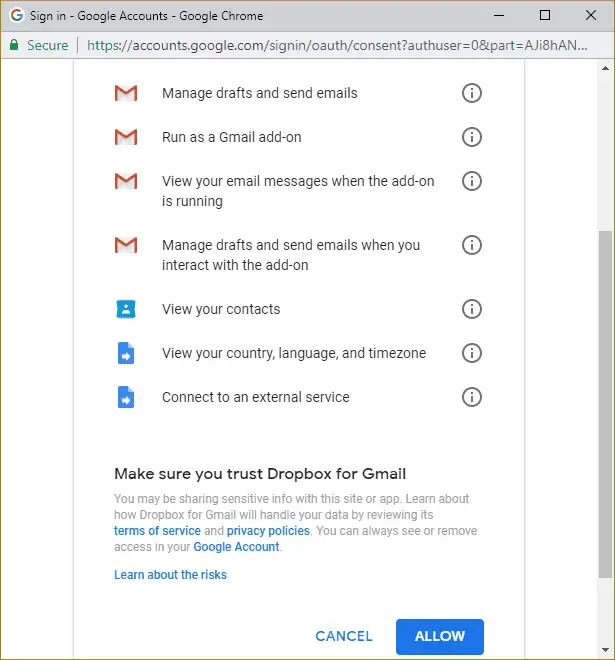
- On next screen, you will see the list of permission that Dropbox Addon for Gmail needs and you have to click on allow to complete the installation of an addon.
- Upon successful installation, ‘Dropbox for Gmail has been installed” will be displayed with the tip to locate Dropbox Click on done.
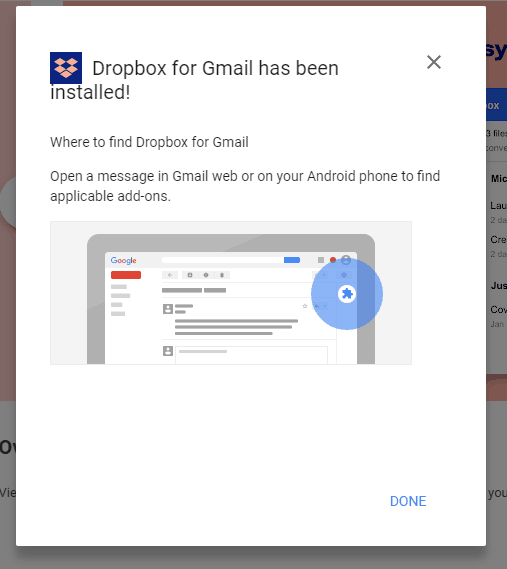
Note: Make sure you have disabled the popup blocker else you will miss the authentication prompt.
At this stage, you have completed adding Dropbox add-on for Gmail, but this is not the end of the procedure, as you will see there are no new icons add in your Gmail interface and it feels pretty much stupid as to from where you can add files or address Dropbox inside your Gmail account.
Well, the icon does appear, but it’s visible only when you open an email from your Gmail account, you will notice the Dropbox icon loads at right side below other Gmail add-on icons.
The reason for this is, the missing connection between your Gmail and Dropbox account. Unfortunately, while adding Dropbox addon, there isn’t any message or help section which explains that the dropbox account has to be connected as well as from where you can add it, for the addon to work properly.
How to Connect Dropbox Account to your Gmail account?
- Open any email from your Gmail account for Dropbox icon to show up in the righthand sidebar. Check the following gif for your reference,
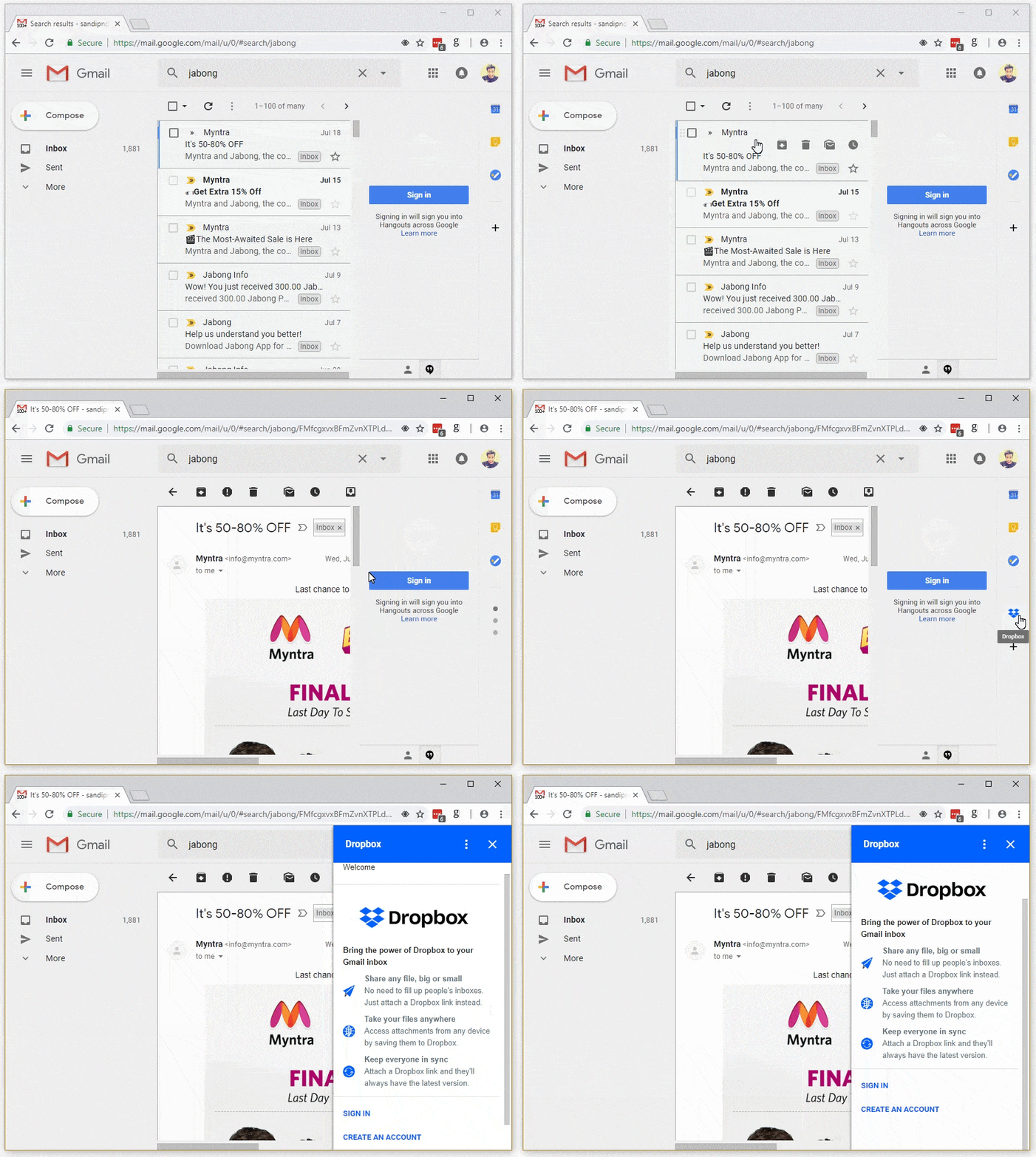
- Now click on that Dropbox icon and sign in/create an account for Dropbox.
- Follow the prompt to allow Dropbox for Gmail add-on to access your Dropbox account
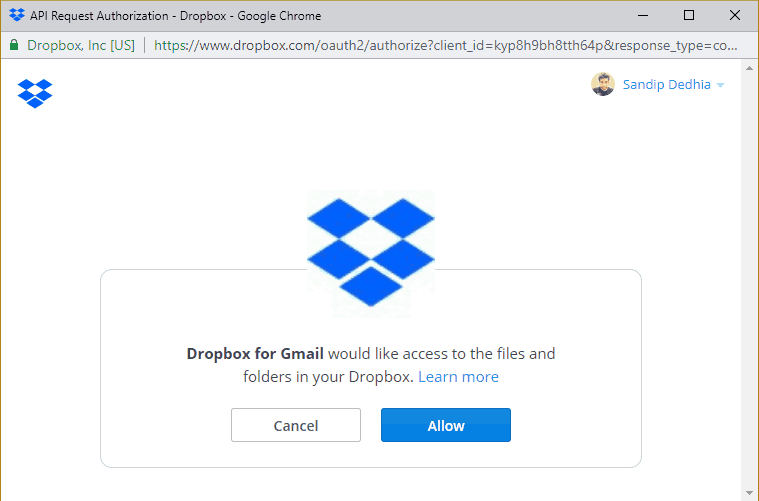
That’s it, now you can upload attachments and other documents right from your emails to your Dropbox account.
How to Use Dropbox Addon for Gmail?
The addon operation is very simple, letting you to send attachment files straight to your Dropbox account right from your Gmail interface.
- Open the email with an attachment that you want to save it in the Dropbox account.
- Now access the Dropbox icon from righthand sidebar and it will list the supported files and attachments that you can save.
- When you click on the file from the list, you will get the list of dropbox folders that you can select and save your attachment file. Hit save button and you are done. All the uploaded files from Gmail will automatically get synced across all the devices.
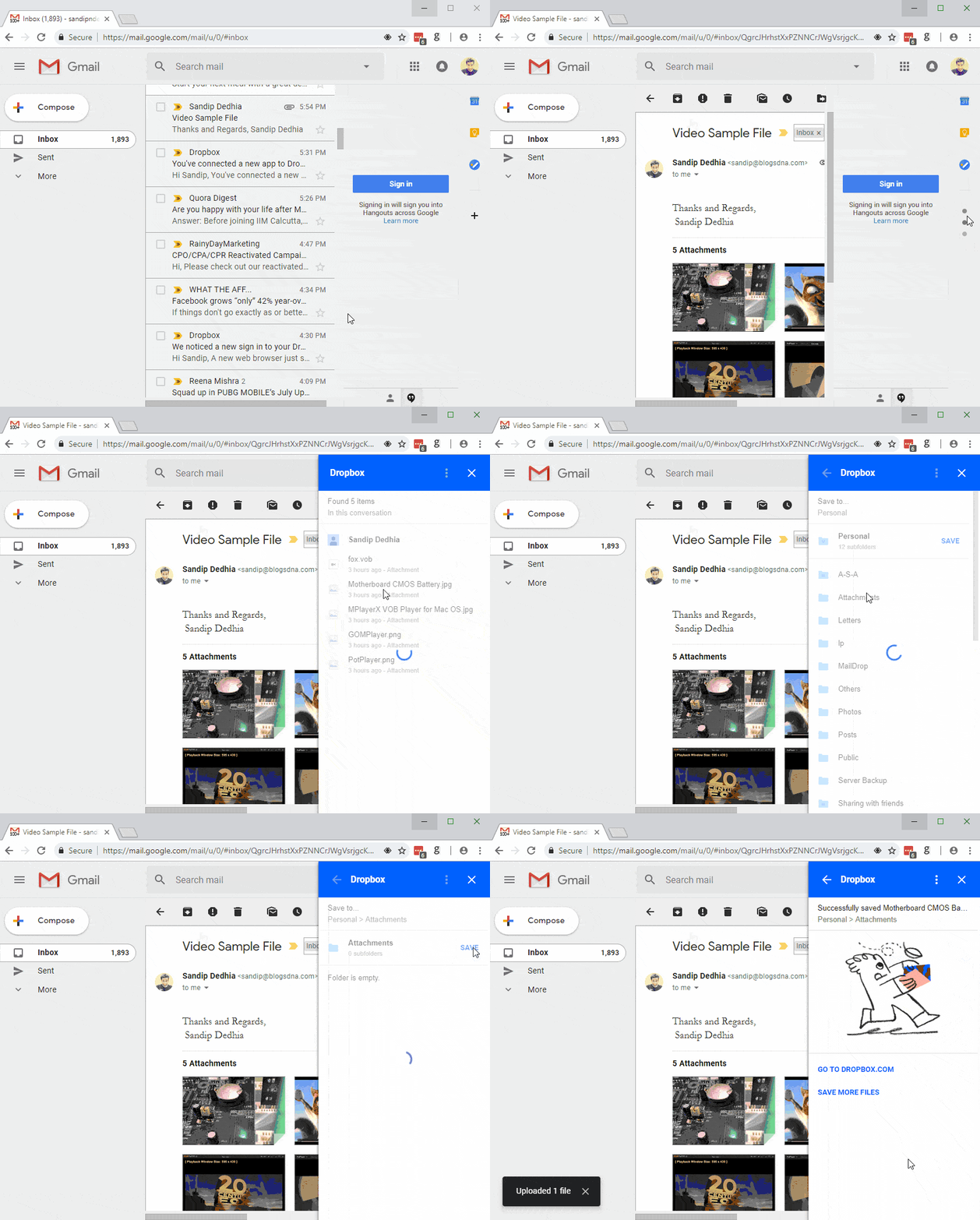
All the saved files will be listed under your Dropbox account name.
Unfortunately, you can not create a new folder from the above interface, for which you have to access your Dropbox account and create the desired folder before saving attachment files.
Another downside is, you cannot save multiple mail attachment files in one go. You have to select one file at a time and then save it, which isn’t ideal for busy users.
How to Remove Dropbox Addon For Gmail?
If you do not like Dropbox Addon for Gmail and looking to remove it, then follow below steps.
- Click on the gear icon to access the settings menu
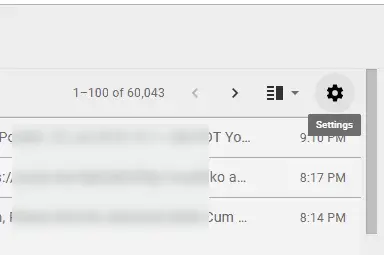
- Now click on Settings and select addons from top navigation menu
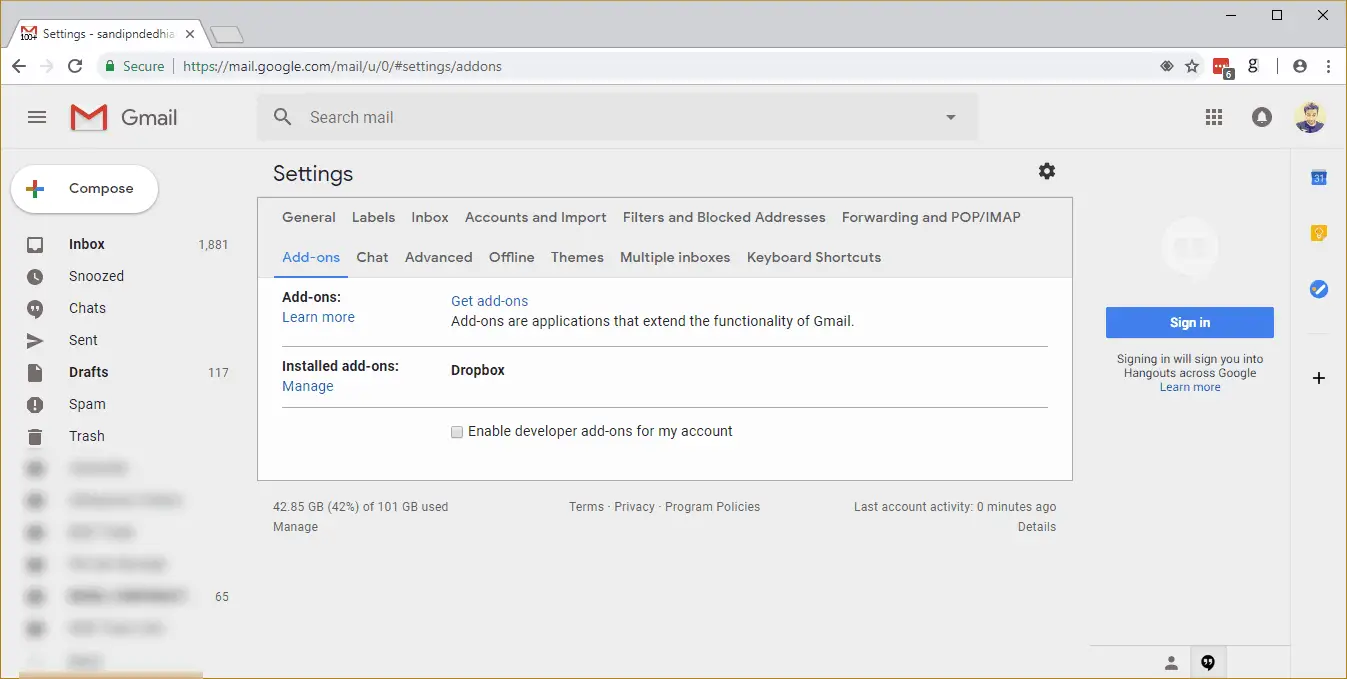
- Under addons list you will see all the add-ons that you have added from G suite marketplace.
- Locate the dropbox addon and click on manage link below the installed add-ons text
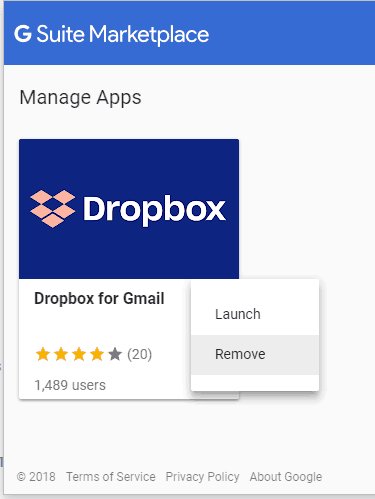
- A popup with G Suite Marketplace with manage Dropbox for Gmail will open. Click on the three dots that you see beside the text.
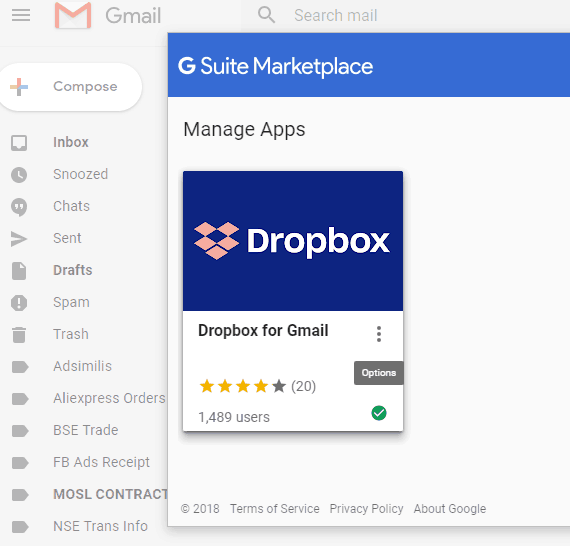
- Now click on Remove and follow the confirmation prompt to get rid of addon from your Gmail account.