
01/08/2019 Update: We’ve noticed that Squiggle LAN messaging app is not in development anymore. Our readers ask us if any other alternatives for a chat over a local network.
We conducted a study over the Internet and found a pretty good app that actual nowadays. This software is developed by Softros Systems company and supports the latest operating systems Windows 10, 8, 7, Mac OS X, and Android.
It’s a quite useful option if you have different devices in the office, for example, Android tablets and Windows computers.
Here is a LAN messenger information page: https://messenger.softros.com
For a quick review you could watch “How-to” video on Youtube:
How does this LAN messenger work?
When you install it on every computer of your local network, the application automatically
detects all users in the company network and creates users lists in the main window.
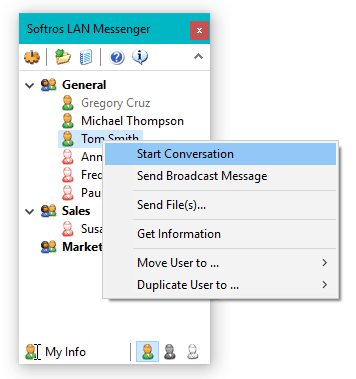
To begin a chat with other users, click a username, and start a conversation with your co-worker.
You can send a message in person-to-person mode or create group chats if you need to discuss a subject related to a group of people.
Another additional features included in this app is a file transfer. A user can send files or folder to one user or group of people. Just drag-n-drop your document to a message window or choose “Send file(s)” by right click on the user. If your colleague needs any help, you can access to his desktop sitting on your working place. For this operation, click “Desktop sharing” function on the top of messaging dialogue.
Softros LAN messenger is an excellent alternative to Squiggle application, and it keeps all communications in the office secure due to his encryption technology. It can help you to prevent any external viruses or hackers attack. You can download it on the official website, try to use it for free, and make your own opinion.
Old Post :-
There are times when you don’t need to store everything on the cloud. An application where people can have continuous threads of personal as well as group discussions and those chats should be saved on LAN and not on cloud or any server on the internet. We recently stumbled upon a similar offline LAN based server-less peer to peer messenger called Squiggle.
Squiggle is a free application for Windows on 3.2mb and doesn’t require any installation which makes it easier to copy on all the computers on network. All you need to do is download, unzip and run.
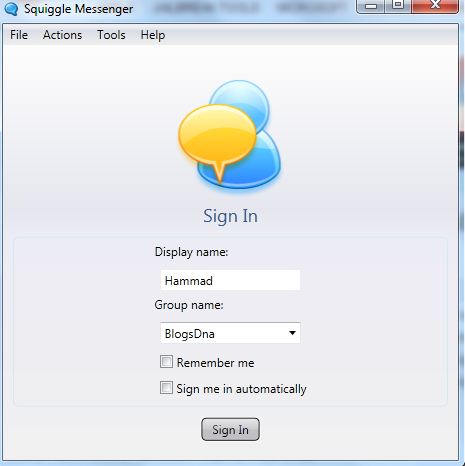
Squiggle’s UI (user interface) is pretty simple and straight forward as well. As soon you’ve launched the application, choose your display and group name and click on sign in.
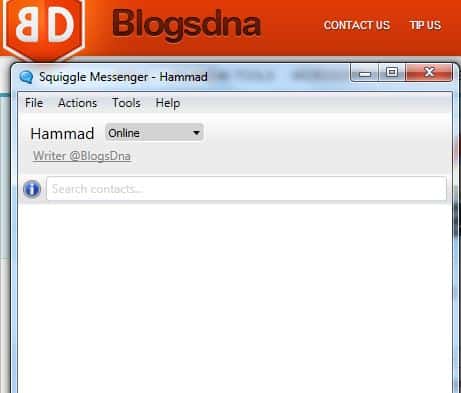
With Squiggle, you get quiet a lot of features, some of which are
- Group chat, Broadcast chat and Private chat
- Bridge for connecting two LANs across subnets or WAN.
- Supports localization i.e. you can replace the translation file to use Squiggle in your native language.
- Fast (multiple) file transfer
- Spell Check, Buzz, Emoticons, Audio Alerts, Tray Popups
- Contact groups, Display message, Display Pic, Chat commands, Message aliases
- Chat history, Status history
- Voice Chat
To seamlessly run Squiggle, you’ll need
- NET Framework 4.0
- Visual C++ 2010 Redistributable
- Windows 7 or above
It does work on Windows XP but there are reports that it might crash if the load is higher.


