
Finally, Windows 10 is catching with the popularity of Windows 7 and XP. Unfortunately, the ride of Windows 10 hasn’t been as smooth as it should have been. The vicious cycle of continues updates is more headache for Windows 10 users, but that also means you do not have to wait for months before that pesky bug fix is available.
With the major updates, Microsoft is also pushing new features to Windows 10. One such feature which was added Windows 10 version 1709 turns out annoyance for many users. The feature which we are talking about is apps relaunching at the Windows 10 restart.
Traditionally, every time you shutdown Windows, you need to close apps and on next reboot you have launch those apps manually. Understandably that was normal behaviour of Windows until a certain batch of users started looking for ways by which Windows can auto-launch apps that were running before shutdown.
Taking a cue from CatchMyWork, devs at Microsoft, implemented a feature called ARSO (WinLogon Automatic Restart Sign-on) which was meant to enhance user experience. The idea behind this is to let users to pick back up quickly from where they had left and resume their work.
Unfortunately, many users doesn’t like apps relaunching at every restart specially when its planned reboot and not forced restart due to updates. If you are looking for the way to disable apps launching at reboot on Windows 10 then check out below solutions.
Table of Contents
How to Stop Apps From Relaunching on Windows 10
1. Sign-in Options
After listening to users who want to turn off apps restarting, Microsoft has included new setting within signin options to turn off ARSO. To do that follow below steps,
- Press Windows Key + I keyboard shortcut to open Windows Settings
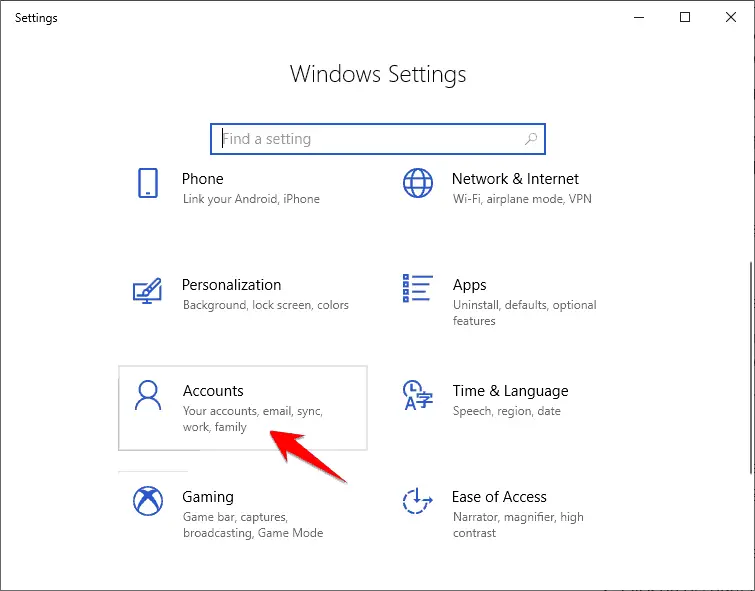
- Click on Accounts
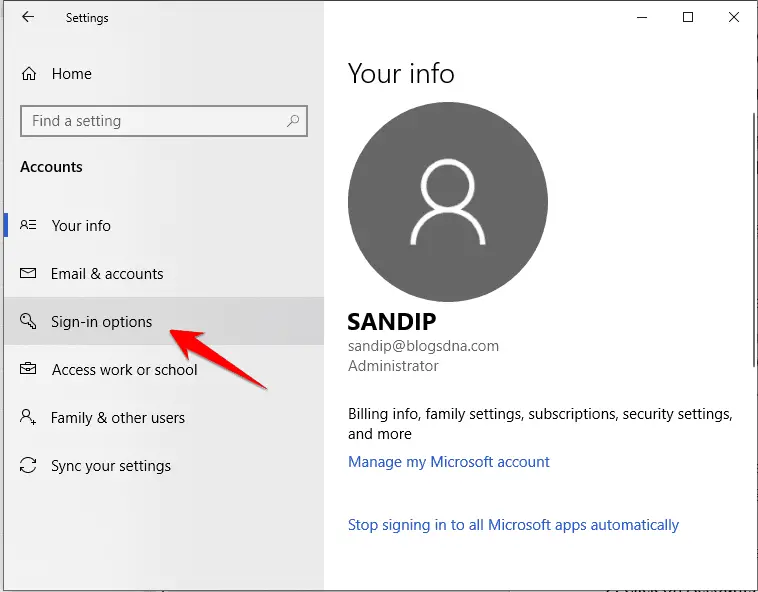
- Click and open Sign-in options from left navigation menu links
- Scroll down Sign-in options left pane and locate a setting “Use my sign-in info to automatically finish setting up my device and reopen my apps after an update or restart”
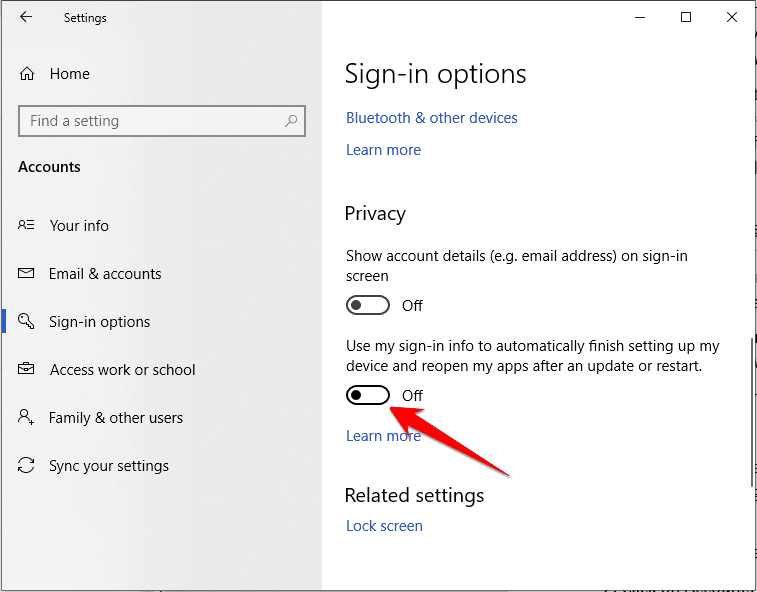
- Click on it to turn off that option
2. Group Policy Editor
If you are an IT administrator and handle hundreds of computers running Windows 10 on your corporate network then turn off this feature using GPO.
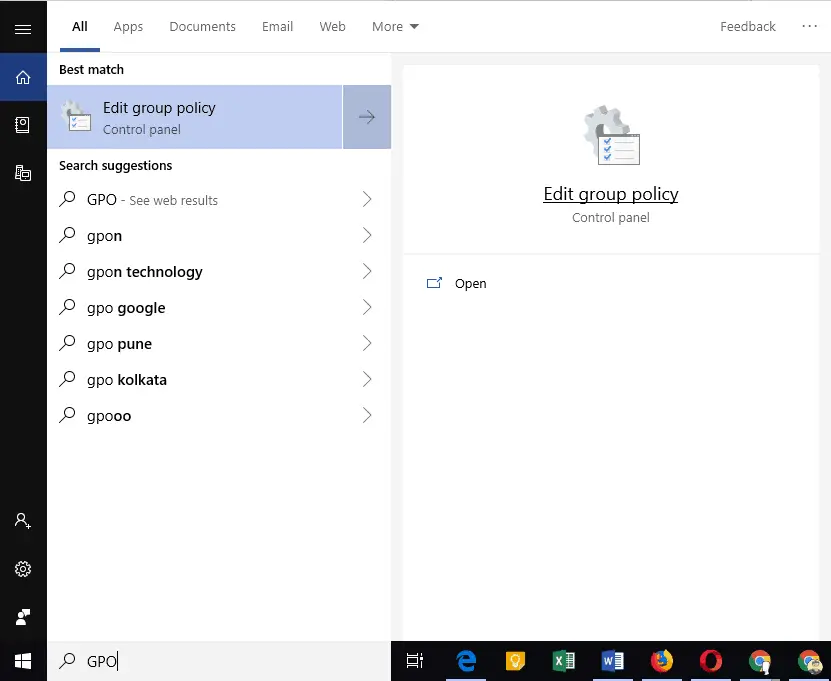
- Type GPO at Cortana search bar and click on Edit Group Policy
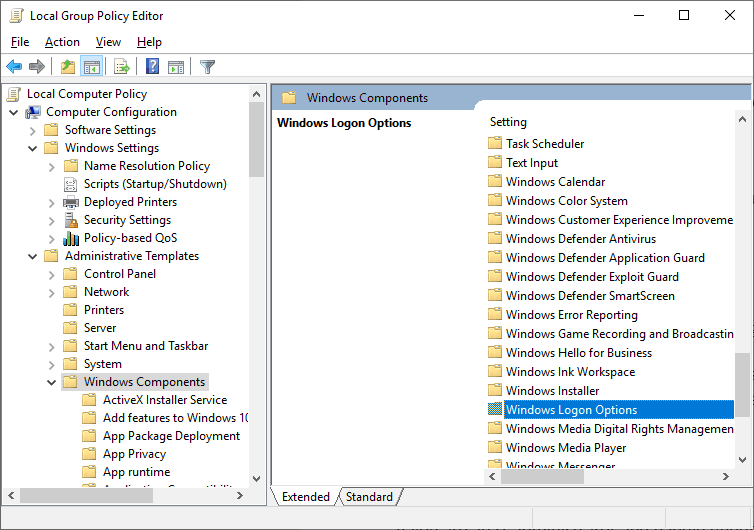
- Now open following policy path under Local Group Policy Editor
Computer Configuration > Administrative Templates > Windows Components > Windows Logon Option
- Click and open Windows Logon Option to reveal policies within.
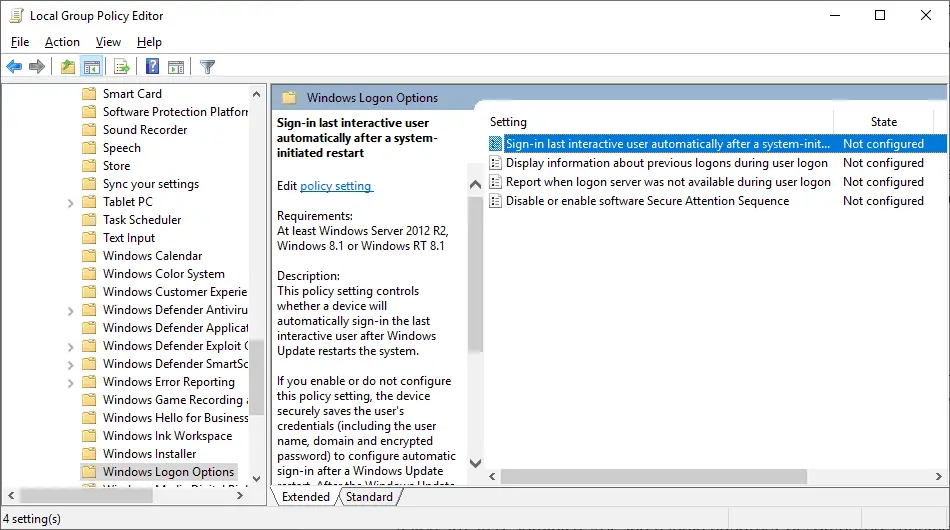
- Now click and open “Sign-in last interactive user automatically after a system-initiated restart” policy
- Check Disable radio button and click on Apply.
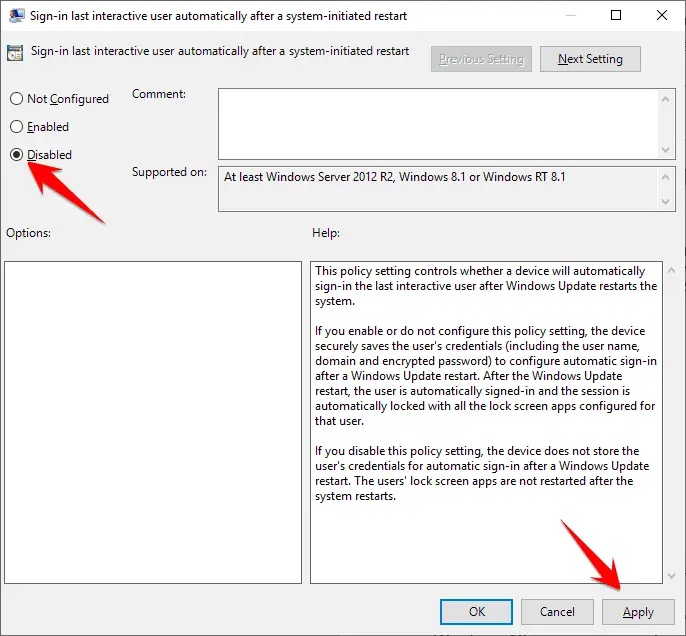
The above solutions would permanently disable ARSO if you like to auto relaunch apps at restart only when you wish to do then here is the way
3. Using Shutdown Parameter
By using the following command at run command or command prompt you can force Windows 10 to relaunch apps even if you have disabled under sing-in options.
Shutdown -g
The above mentioned solutions also works on Windows 8/8.1 and all the version of Windows 10, including on 1809 October 2018 update.


